Advertisement
Click to download now, finish the installation quickly, and directly unlock the "all-round experience"
Advertisement
Screenshots
Click to download now, finish the installation quickly, and directly unlock the "all-round experience"
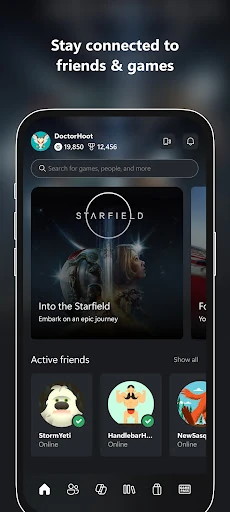
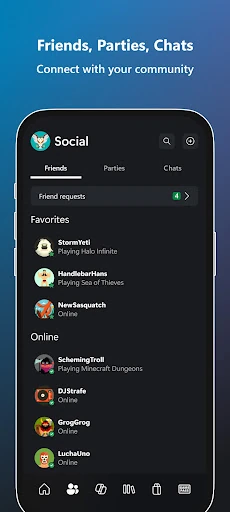
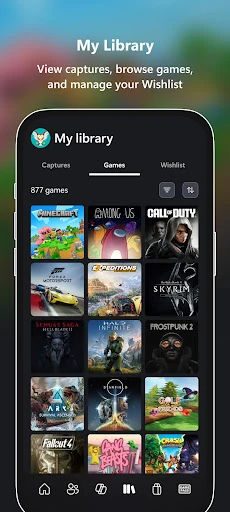
The Xbox app serves as the definitive companion for the modern gaming ecosystem, effectively bridging the gap between mobile convenience and high-end console or PC performance. Positioned as a central hub within the Entertainment landscape, the app ensures that the Xbox experience is no longer tethered to a television. It functions as a sophisticated command center, allowing users to manage their social presence, game library, and hardware remotely. By integrating social connectivity with utility-driven features like remote downloads, Microsoft has created a seamless "always-on" environment that caters to the demands of contemporary gamers who move fluidly between different platforms.
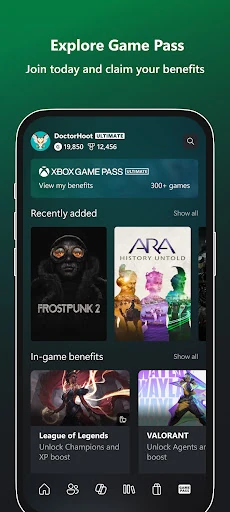
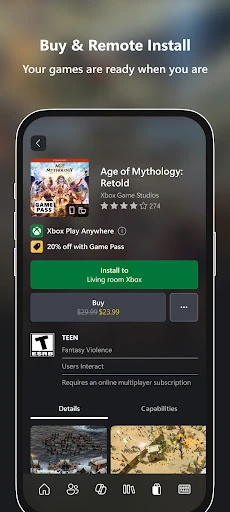
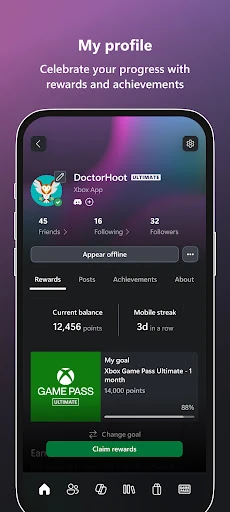
The Xbox app follows Microsoft’s modern design language, utilizing a dark-themed, high-contrast aesthetic that feels native to the gaming world. The UI is structured around a logical bottom-navigation bar that provides instant access to the home feed, social interactions, and library management. UX design principles are well-executed, particularly in the "Remote Download" workflow, which minimizes the steps required to move from game discovery to installation. The interface manages a high volume of data—from achievement tracking to real-time friend status—without feeling cluttered, maintaining a premium feel consistent with high-tier entertainment applications.
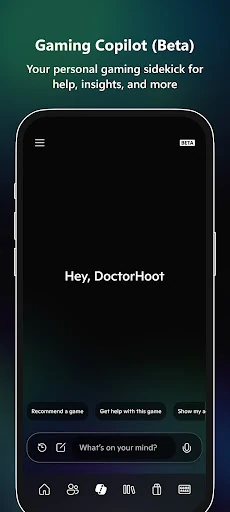
To further enhance the experience, future updates should focus on refining the stability of the Gaming Copilot AI to provide more context-aware gaming tips. Additionally, integrating more granular console management settings, such as the ability to manage storage space or delete old titles remotely, would provide users with even greater control over their hardware. Finally, streamlining the notification system to allow for more specific filtering of social versus promotional alerts would improve the overall UX.
The Xbox app is an essential tool for any player within the Microsoft ecosystem, specifically targeting Xbox console owners and Game Pass subscribers. It successfully transforms the smartphone into a powerful secondary screen, enhancing the value of the primary gaming hardware. For users looking to stay connected to their gaming community and manage their digital library with maximum efficiency, this app is a mandatory installation. It stands as a benchmark for how hardware-software ecosystems should be integrated in the entertainment sector.