Advertisement
Click to download now, finish the installation quickly, and directly unlock the "all-round experience"
Advertisement
Screenshots
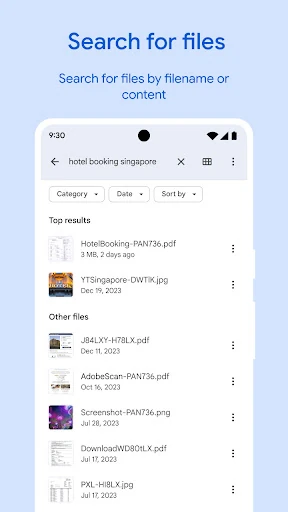
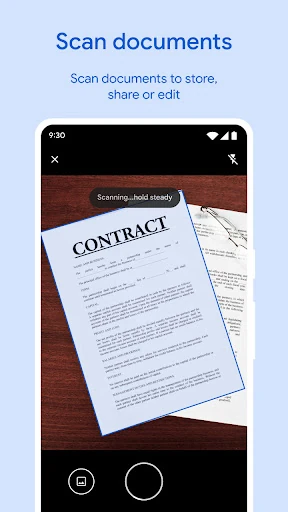
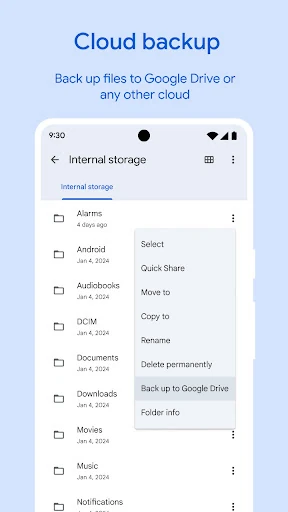
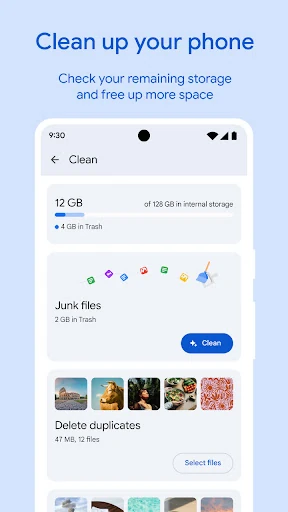
Click to download now, finish the installation quickly, and directly unlock the "all-round experience"
Files by Google stands as the gold standard for file management within the Android ecosystem. Originally designed for entry-level devices, it has evolved into a powerhouse utility that balances sophisticated cleanup algorithms with a streamlined user interface. In the crowded Tools landscape, it distinguishes itself by being one of the few completely ad-free, high-performance managers that prioritizes user privacy and device health over monetization. It is an essential component for any user looking to maintain peak performance on their mobile device while keeping their digital life organized.
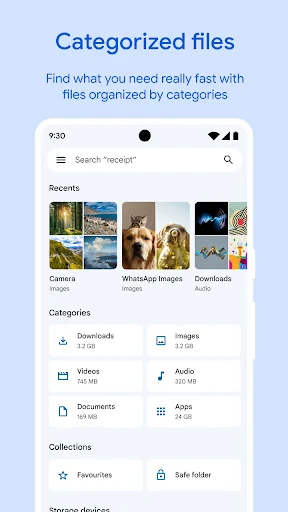
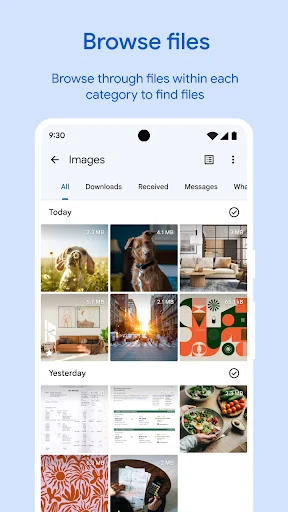
The UI follows Google’s Material Design 3 principles, offering a clean, high-contrast interface that is exceptionally easy to navigate. By splitting the experience into three primary tabs—Clean, Browse, and Share—the app reduces cognitive load for the user. The "Clean" tab uses a card-based layout that makes complex data management feel like a simple task. Furthermore, the app's incredibly small footprint (under 20 MB) ensures that the tool itself never becomes the storage problem it is meant to solve.
While the app is nearly perfect for the average user, it could benefit from deeper integration with third-party cloud services beyond Google Drive, such as OneDrive or Dropbox, directly within the browse tab. Additionally, adding a batch-renaming tool and a more robust built-in document editor would transform it from a file manager into a complete mobile workstation hub.
Files by Google is a must-have application for every Android user, ranging from novices who need help managing clutter to professionals who require fast, secure file sharing. Its combination of security, speed, and simplicity makes it the premier choice in the utility sector. If you want a device that runs faster and stays organized without the headache of manual sorting, this is the definitive tool for the job.