
Ringtone Maker:create ringtone
Big Bang Inc.
Downloads
100,000,000+
Version
Latest
Advertisement
Click to download now, finish the installation quickly, and directly unlock the "all-round experience"
Advertisement
Screenshots
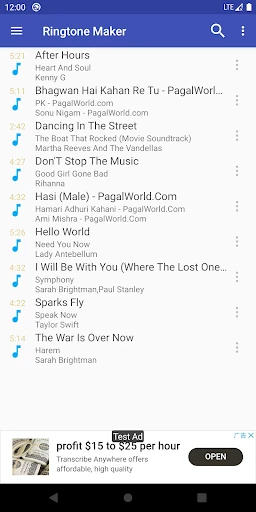
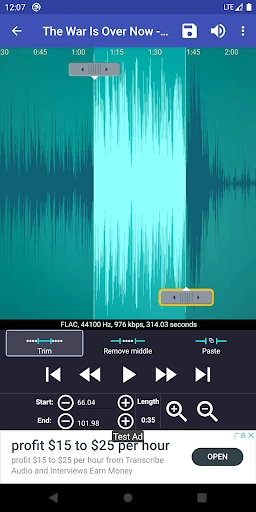
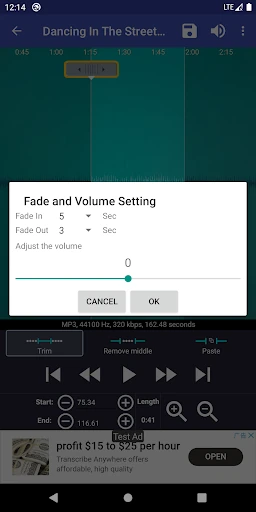
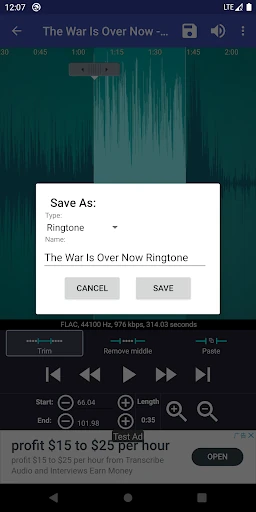
Click to download now, finish the installation quickly, and directly unlock the "all-round experience"
Ringtone Maker:create ringtone stands as a veteran utility in the Android Personalization landscape, offering a granular level of control that generic system settings often lack. While the market is flooded with simple "trim and save" tools, this application distinguishes itself by functioning as a lightweight digital audio workstation (DAW) specifically tuned for mobile alerts. It effectively bridges the gap between raw audio storage and the user's desire for a bespoke auditory experience, maintaining its relevance through robust file support and precision editing capabilities.
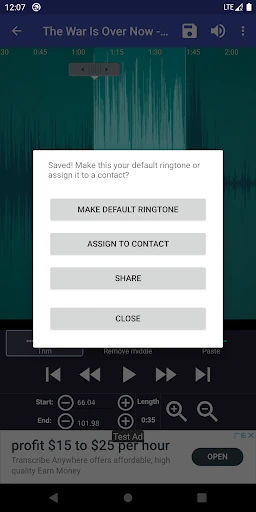
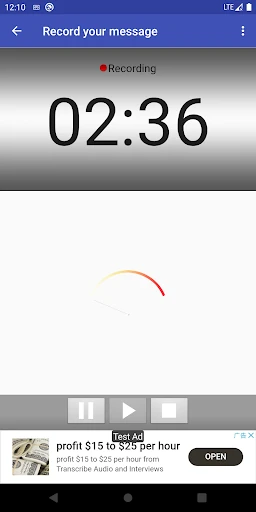
The user interface of Ringtone Maker:create ringtone prioritizes utility over aesthetic flair. It employs a "form follows function" philosophy, centering the experience around a scrollable waveform representation. While the design language may feel slightly dated compared to modern Material You standards, the UX is remarkably intuitive. The dual-methodology for setting start and end points—using sliding arrows or manual timestamp entry—caters to both casual users seeking speed and power users seeking surgical precision. The inclusion of a "Scan" menu is a thoughtful UX addition, addressing the common Android pain point of delayed media database updates.
To elevate the app for the next generation of users, a UI overhaul utilizing Material Design 3 principles would significantly improve visual appeal. Additionally, implementing a more streamlined "cloud import" feature would help users bypass the manual browser workarounds currently required for accessing files from protected streaming services. Automating the media scan process upon app launch would also reduce friction for users who frequently download new audio content.
Ringtone Maker:create ringtone is the definitive tool for the DIY enthusiast who wants complete control over their device's soundscape. It is particularly well-suited for users with diverse music libraries who find standard system tools too restrictive. While the interface is utilitarian, its performance and feature set make it a top-tier recommendation for anyone looking to personalize their Android experience with precision and ease.