🏆 Expert Verdict & Overview
Collage Maker | Photo Editor stands out in the crowded Photography category as a versatile and high-capacity utility designed for both casual creators and social media power users. While many competitors limit creative freedom, this application provides an expansive toolkit—most notably its ability to process up to 100 photos in a single composition. By bridging the gap between a standard grid maker and a sophisticated AI-powered editor, Collage Maker | Photo Editor positions itself as a comprehensive "photo lab" for users who need quick, professional-grade results for Instagram, Snapchat, and digital scrapbooking.
🔍 Key Features Breakdown
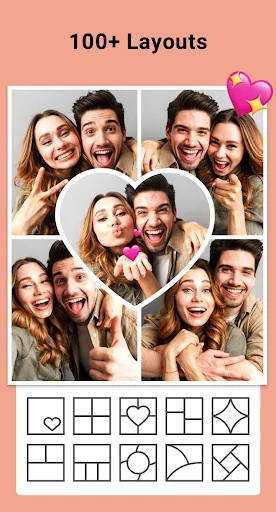
- High-Capacity Grids: Allows users to combine up to 100 photos into a single layout, solving the problem of documenting large events or extensive portfolios that standard apps cannot handle.
- AI Photo Enhancer: Utilizes artificial intelligence to restore blurry or low-resolution images, ensuring that even older or damaged photos meet modern HD standards before being added to a collage.
- Story-Ready Templates: Features stylized options like Film, Magazine, and Ripped Paper templates, which significantly reduce the time required to create high-engagement content for Instagram Stories.
- Multi-Fit & Insta-Square: Solves the frustration of cropped images on social media by providing blur-background or white-border options for various aspect ratios (1:1, 4:5, 9:16).
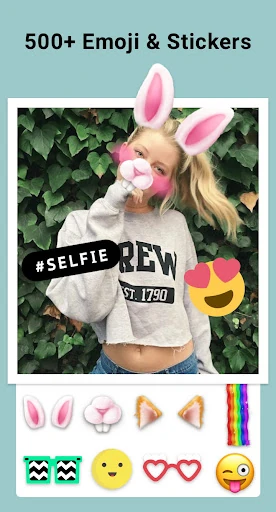
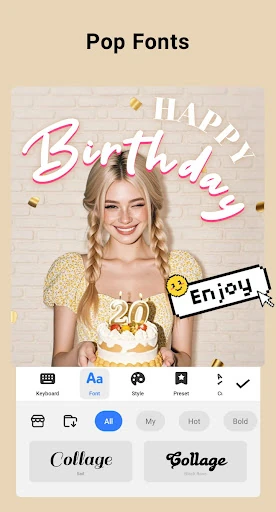
- Freestyle Scrapbooking: Offers a non-linear design mode where users can layer stickers, doodles, and text freely, catering to users who prefer artistic expression over rigid grid structures.
🎨 User Experience & Design
The interface of Collage Maker | Photo Editor is built for speed and accessibility. Following the industry-standard "pick-and-edit" workflow, the UX minimizes the learning curve, allowing even novice users to produce complex layouts within seconds. The UI manages a massive library of 100+ layouts and decorative assets through a categorized navigation bar that remains responsive even under heavy loads. However, the sheer density of features means that the workspace can feel slightly cramped on smaller devices, though the intuitive placement of the "Doodle" and "Filter" tools ensures that the most essential functions are always within thumb's reach.
⚖️ Pros & Cons Analysis
- ✅ The Good: Unmatched capacity for large-scale collages (up to 100 images).
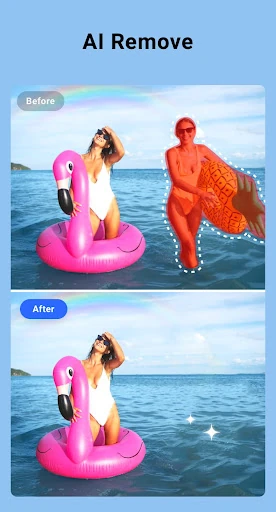
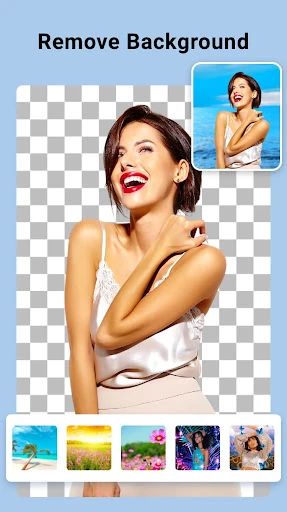
- ✅ The Good: Integrated AI tools add modern value beyond simple layout management.
- ❌ The Bad: The ad-supported model can occasionally interrupt the creative flow.
- ❌ The Bad: With so many assets, the initial download of additional stickers and backgrounds can consume significant storage.
🛠️ Room for Improvement
To further elevate the user experience, the developers could introduce more advanced AI-driven layout suggestions that automatically group photos by color palette or subject matter. Additionally, adding a "Layers" panel similar to desktop editing software would provide more precise control for the Freestyle mode, helping power users manage complex compositions without accidentally moving the wrong element.
🏁 Final Conclusion & Recommendation
Collage Maker | Photo Editor is a top-tier choice for social media influencers, digital scrapbookers, and anyone looking to compile large sets of memories into a cohesive visual story. It is particularly effective for those who find standard grid apps too restrictive. We recommend this app for users who prioritize feature density and social media optimization over a minimalist interface. It is a robust, "all-in-one" solution that effectively replaces multiple standalone editing apps.